
When implementing a BI tool for data-driven decision-making, you’ll find many options available. Consider your report development process first to help select the right tool. Microsoft provides valuable resources focused on Power BI. The concepts introduced, however, can be applied to any BI platform. Let’s review some of their suggestions.
Enterprise BI
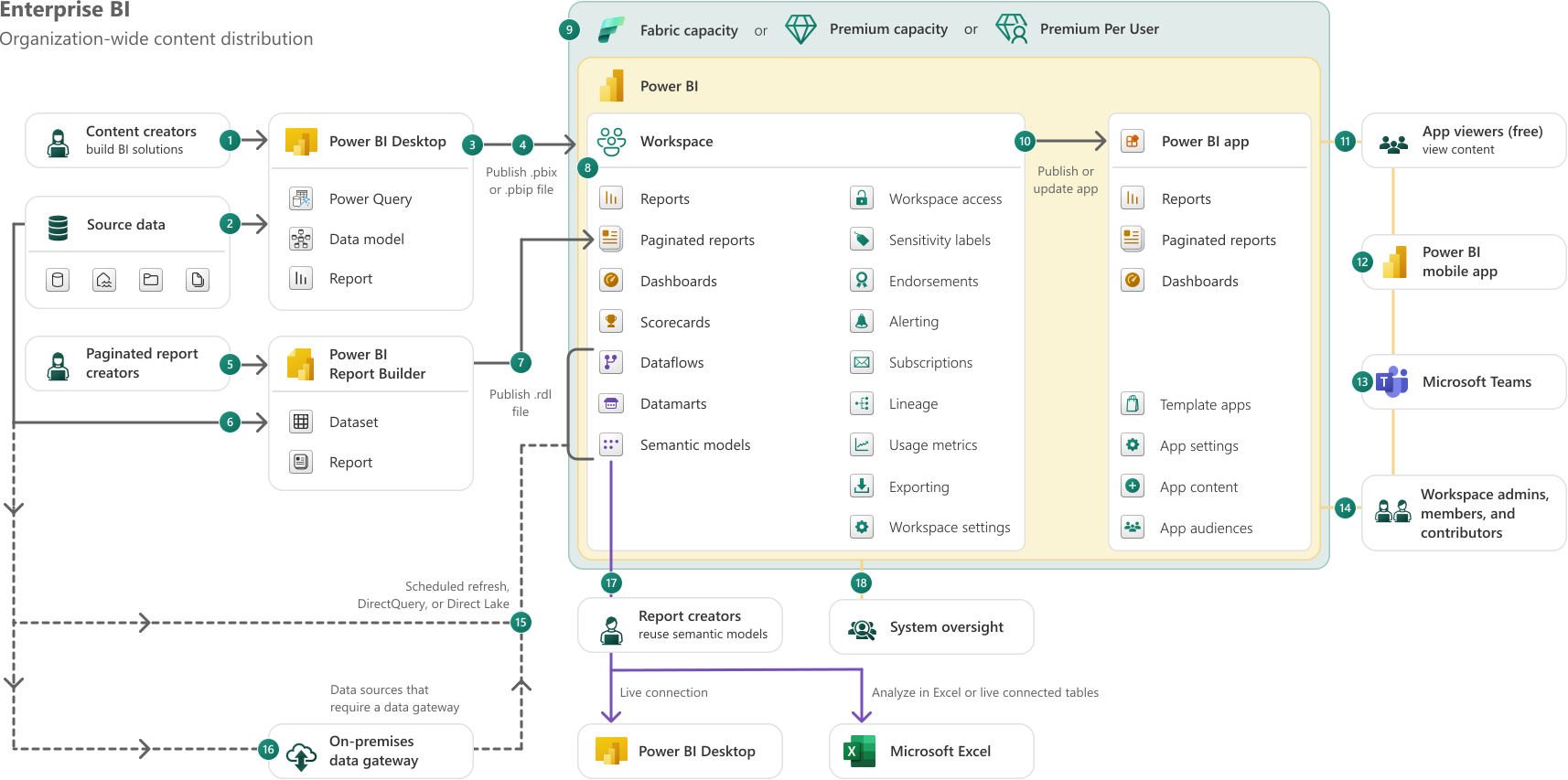
Enterprise BI has many content consumers and fewer creators. Power BI content creators build reports and data models using Power BI Desktop, publishing them to the Power BI service. Data artifacts and reports are handled in the same workspaces. Content is organized into apps with read-only access, and scheduled data refresh keeps data up to date.
Managed Self-Service BI
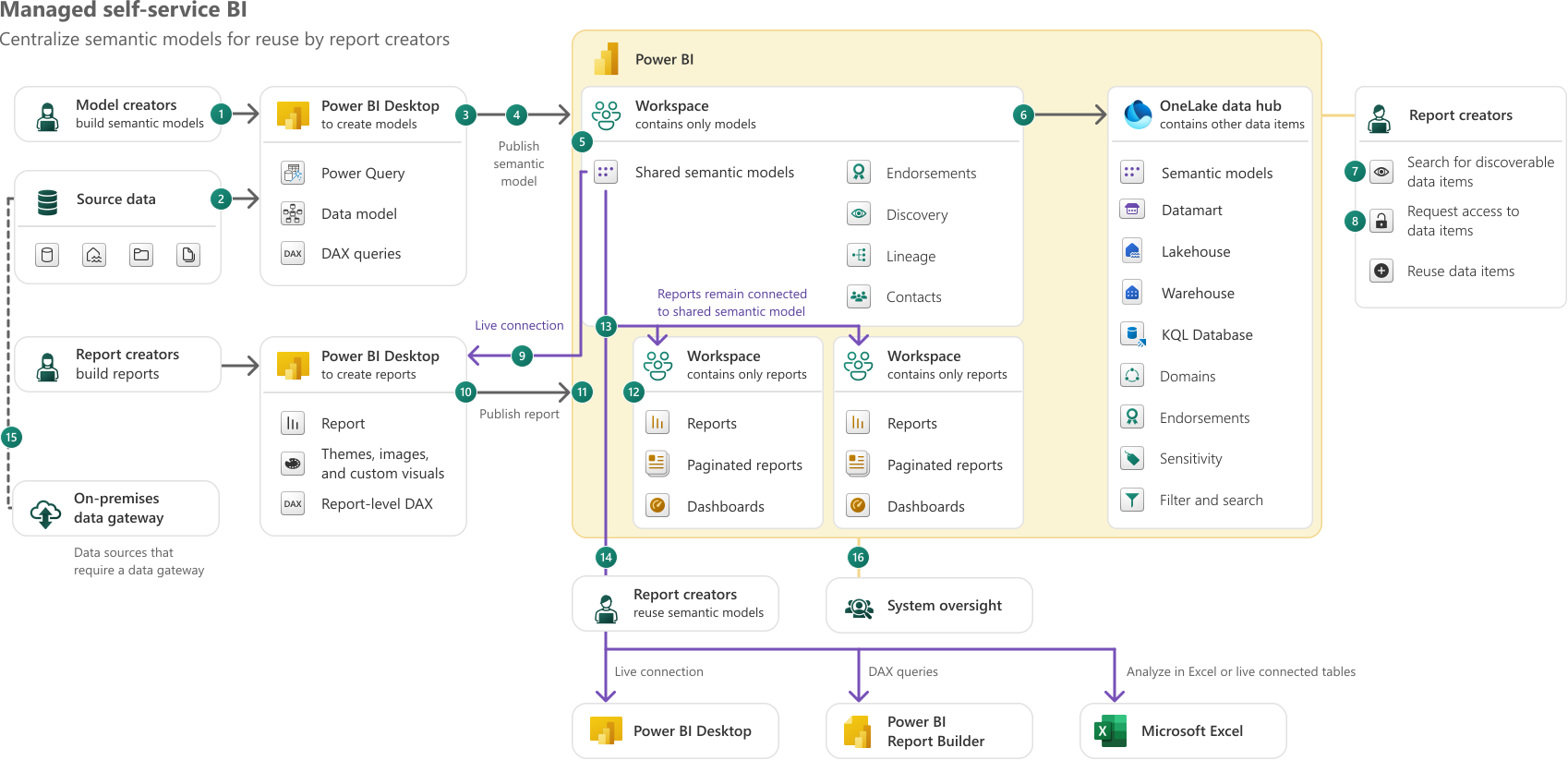
A centralized BI team manages curated semantic models, while department-based creators handle report creation. This approach allows self-service report creators to quickly discover data assets and generate reports without data modeling. Model creators develop reusable, high-quality data models and publish them to the Power BI service. Data artifacts and reports are handled in separate workspaces. If the core data architecture doesn’t meet all needs, semantic model creators can extend or customize shared models. Microsoft refers to this approach as Customizable Managed Self-Service BI.
Artifact Deployment
CI/CD supports automated deployment and quality assurance practices. Content creators typically save models and reports to a local repository. A Git-based service tracks changes and triggers the deployment of models and reporting artifacts to workspaces. Integrating CI/CD early improves consistency, development speed, and quality.
🔑 Key Takeaways:
- Define a vision aligned with organizational goals and stakeholder expectations.
- Define incremental milestones to increase data maturity step by step.
- Continuously iterate and refine the process based on stakeholder feedback.
🗣️ Favorite Statement:
“You might need to mix and match the ideas described in the usage scenarios to create a Power BI implementation strategy that fits your circumstances.”
🔗 Links:
Enterprise BI: https://learn.microsoft.com/en-us/power-bi/guidance/powerbi-implementation-planning-usage-scenario-enterprise-bi
Enterprise content publishing: https://learn.microsoft.com/en-us/power-bi/guidance/powerbi-implementation-planning-usage-scenario-enterprise-content-publishing
Managed self-service BI: https://learn.microsoft.com/en-us/power-bi/guidance/powerbi-implementation-planning-usage-scenario-managed-self-service-bi
Customizable managed self-service BI: https://learn.microsoft.com/en-us/power-bi/guidance/powerbi-implementation-planning-usage-scenario-customizable-managed-self-service-bi